Design to Test
Figma → tests

From Figma frames to tested releases.

Your design is already the spec. Turn it into test coverage without writing a test by hand.

01 · Test Case Generation

Test cases, written from the design.

TesterEye reads your Figma file, follows the journeys between frames and writes the scenarios and test cases into one Excel workbook.

test_results.xlsxHomePage · test cases
IDTest caseExpected resultTypePriority
TC_HN_001Verify header brand elements are visibleLogo, 'NovaSaaS' and subtitle are shownUIHigh
TC_HN_003Verify tapping 'Products' in header navigates to Products page oneProducts page one opensFunctionalHigh
TC_HN_004Verify tapping 'Solutions' in header navigates to Solutions pageThe Solutions page opensFunctionalHigh
TC_HN_005Verify tapping header logo navigates to HomepageHomepage opens or refreshesFunctionalMedium
TC_FRM_002Verify search input accepts valid text entryThe input takes a search queryFunctionalHigh
  • Check the flow firstRead the journeys in a design for free. Nothing is generated until you say so.
  • Every kind of caseUI, functional, positive, negative, compatibility and cross-browser, with a summary sheet.
  • Large files in sectionsGenerate a big design a section at a time, and pick up where you left off.
02 · Automation Testing

Cases that run themselves, with proof.

Functional cases become scripts and run in a live browser. Every step leaves evidence, and your workbook comes back with Status and Actual result filled in.

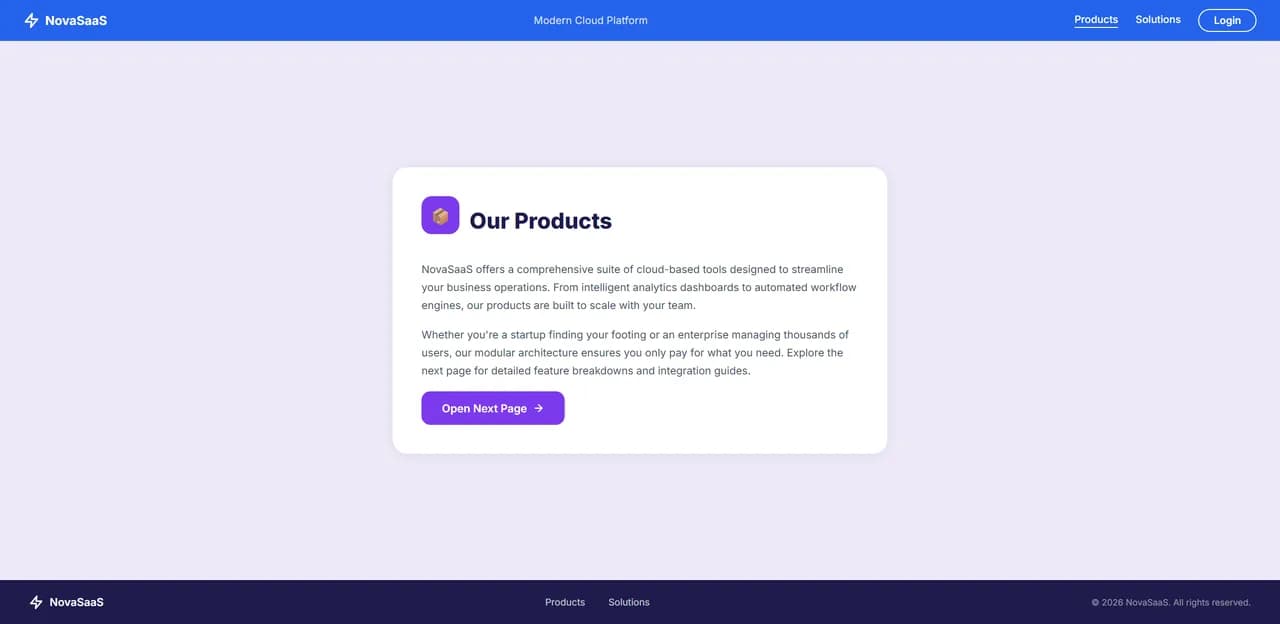
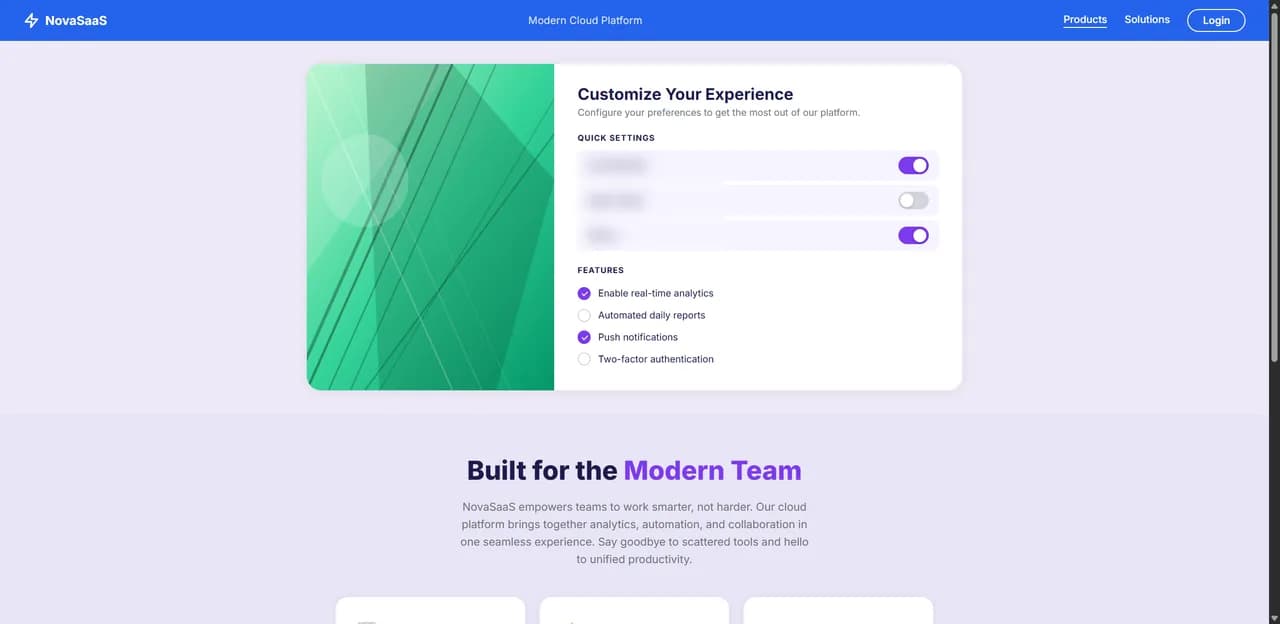
TC_HN_003 · Open the Products pagePass
Before
The demo site before the step: its home page
After
The demo site after the step: its Products page
  • Watch it runA live browser preview, or headless when you prefer, at the speed you choose.
  • Scripts you can steerGenerate scripts for all cases or a few, and change them in plain English.
  • Evidence and insightScreenshots and a recording for every case, plus pass, fail and skip and the top failures.
03 · Version Control

When the design changes, the tests keep up.

Track a Figma file and upload your current test cases. On every sync, only the cases for frames that changed are updated.

Version control · NovaSaaS · FigmaPreviously generated
  • HomePageUnchanged
  • Login_pageUnchanged
  • Products_page_oneChanged
  • Solutions_pageChanged
  • Sign_out_pageUnchanged
Previous workbook
test_results.xlsx
Updated
  • 21 cases · Products_page_one
  • 26 cases · Solutions_page
  • All other cases kept as they are
  • The right pipeline, picked for youA new design gets a full analysis; a tracked one, a quick update.
  • A snapshot every syncEach run saves the state of the design for the next comparison.
  • Every sync on recordEach session keeps its pipeline status and logs, so you can see what ran.
How it works

Four steps, start to finish.

  1. 01Connect FigmaPick a file and the frames to cover.
  2. 02GenerateStart it with one click.
  3. 03RunRun the cases you choose.
  4. 04ReviewSee what passed, what failed and why.
Step 01 of 04
NovaSaaS · Figma
  • HomePage
  • Login_page
  • Products_page_one
  • Solutions_page
  • Sign_out_page
Explore TesterEye

The rest of the platform.